Resource Centre - Risk (Home and Community Care)
 Return to Resource Centre
Video Tutorial
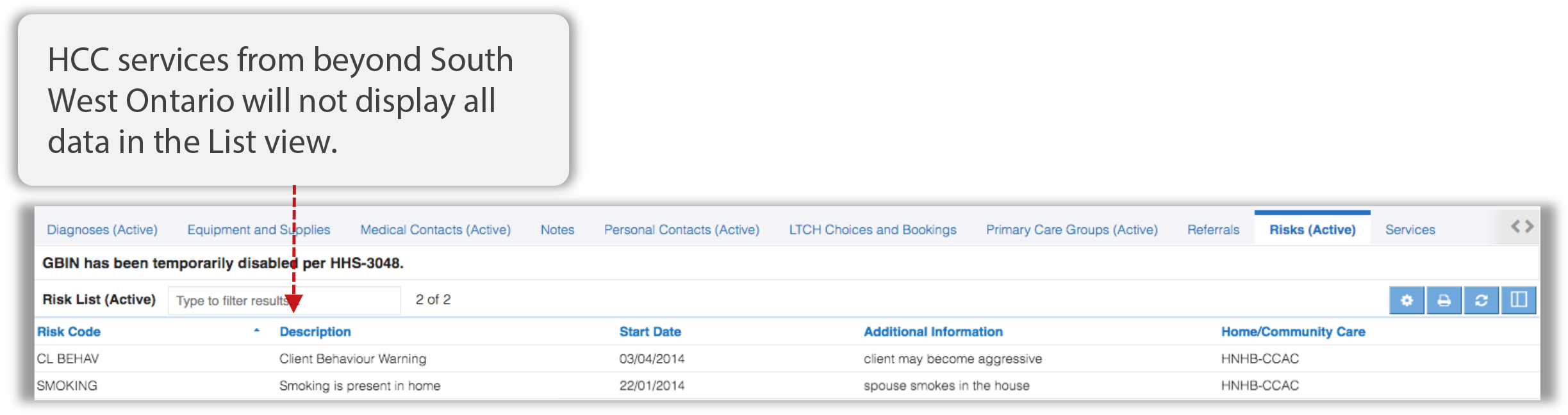
The Risk List displays any Active behaviors or risks associated with the client or in the client’s home that presents a risk to care management, Home and Community Care providers, or other service providers.
This tab will contain any information available from the acCDR if the patient has HCC services from beyond south west Ontario. The Home/Community Care column will display the name of LHIN HCC.
Click the Risks (Active) tab (if available) to access the Risk List.

Risk Details for HCC Services from Beyond South West Ontario (acCDR data)
The List view displays a subset of data from the acCDR in this module. To display additional Risk details available from this provincial repository, click the line item to view the detail window.
Risk List Preferences
The Risks tab has its own set of preferences that can be accessed and configured by clicking the Preferences button  in the header or by using the Preference Setup Wizard.
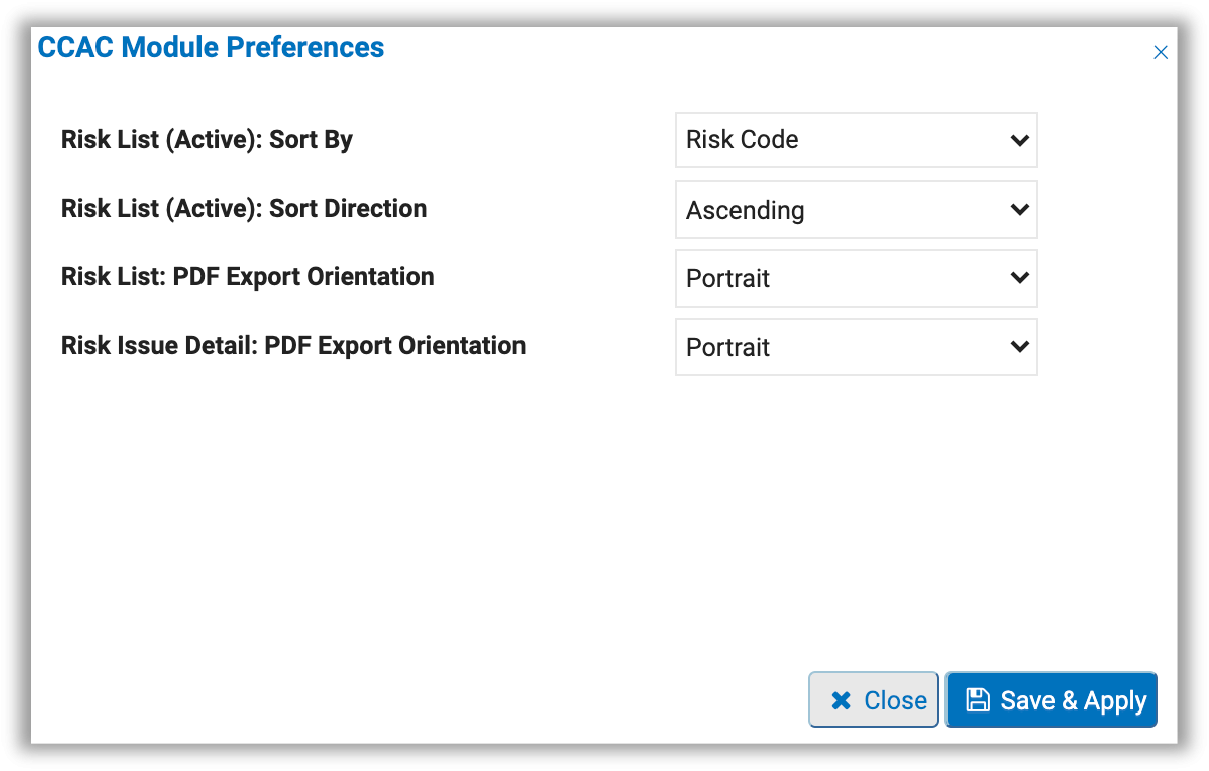
After updating your preference settings, click the Save & Apply button to save your changes.
To learn more about the various preference setting options, please visit the Common Preference Settings in ClinicalConnect section.